configure your Autopay account
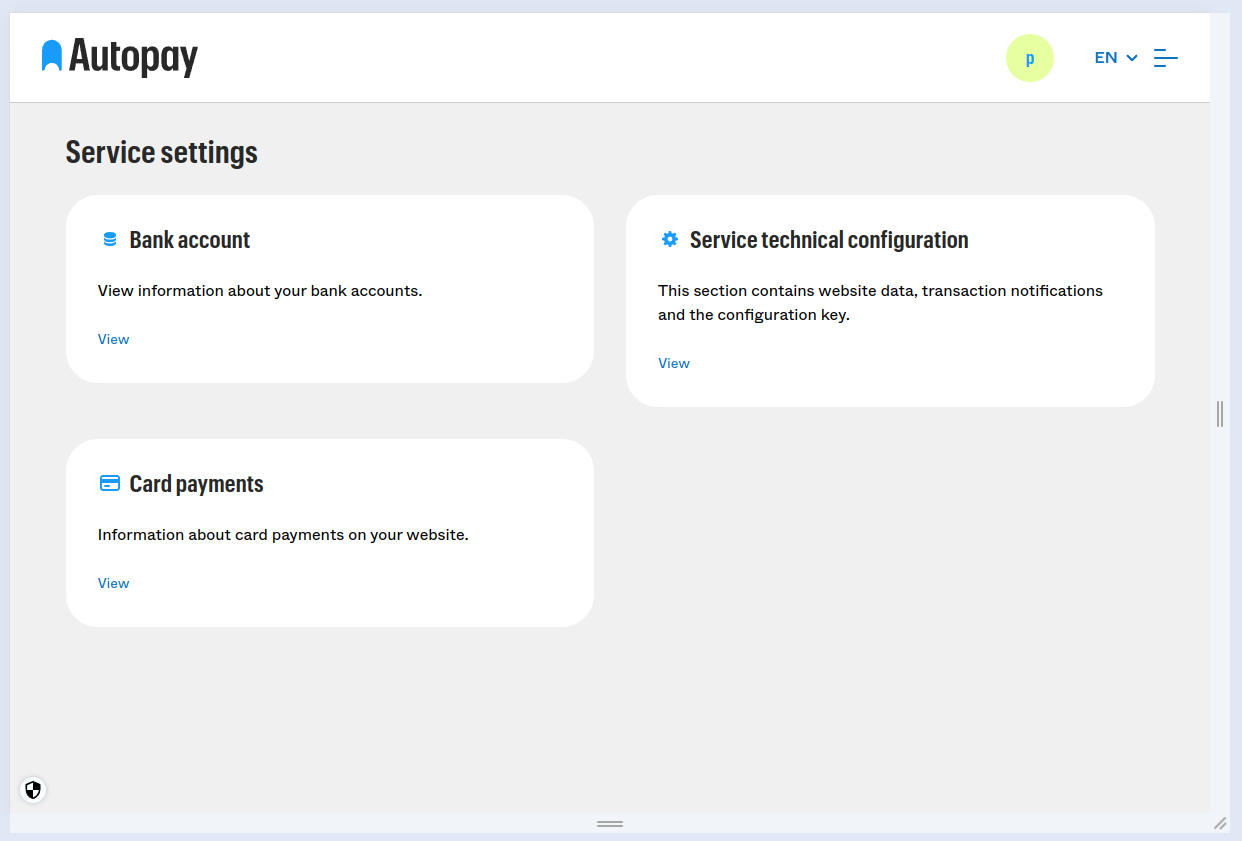
First, go to "Service settings" tab. And select "Service technical configuration"
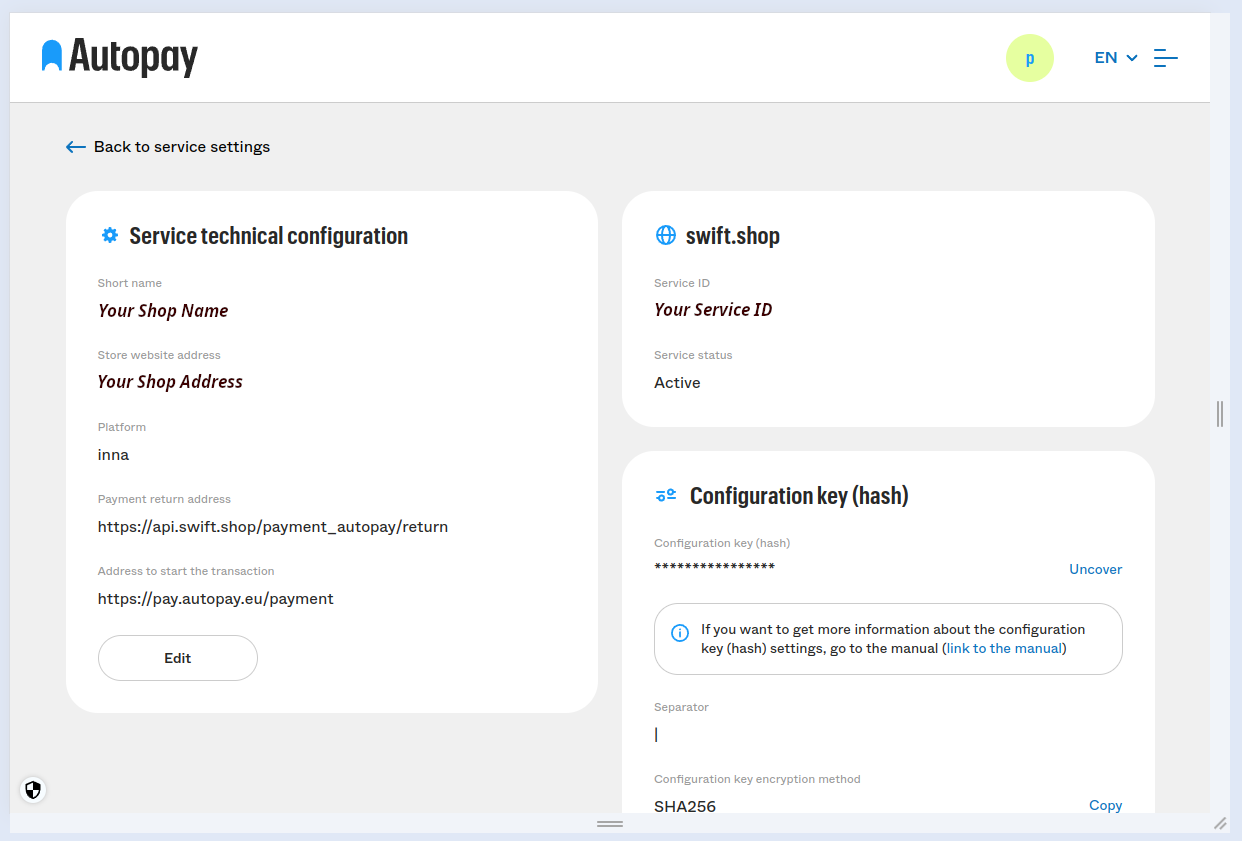
 Click "Edit" in service configuration tab:
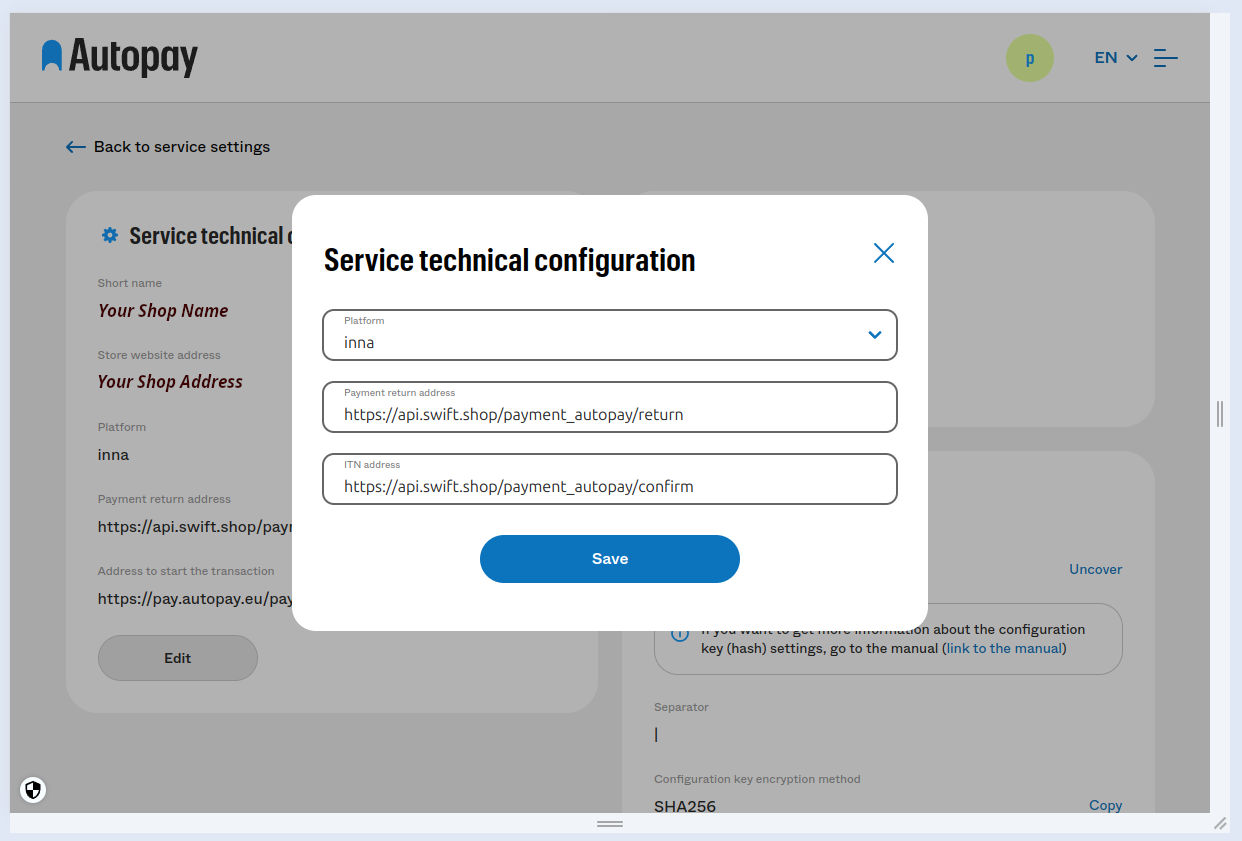
 Select plaform "other" ("inna") and input following swift.shop URLs:
Payment return address:
https://api.swift.shop/payment_autopay/return
ITN address:
https://api.swift.shop/payment_autopay/confirm
configure Autopay module at swift.shop
In your swift.shop shop admin panel you will need to provide proper "Service Id" and "Hash" values that you should get from Autopay panel.
First, go to "Service settings" tab. And select "Service technical configuration"
You should now see your "Service Id".
To see your "Hash" you need to click "Uncover" in "Configuration key" section.
Paste those values in your swift.shop admin panel and rebuild your shop.
If everything was done correctly, you should now see Autopay methods in your shop checkout page.